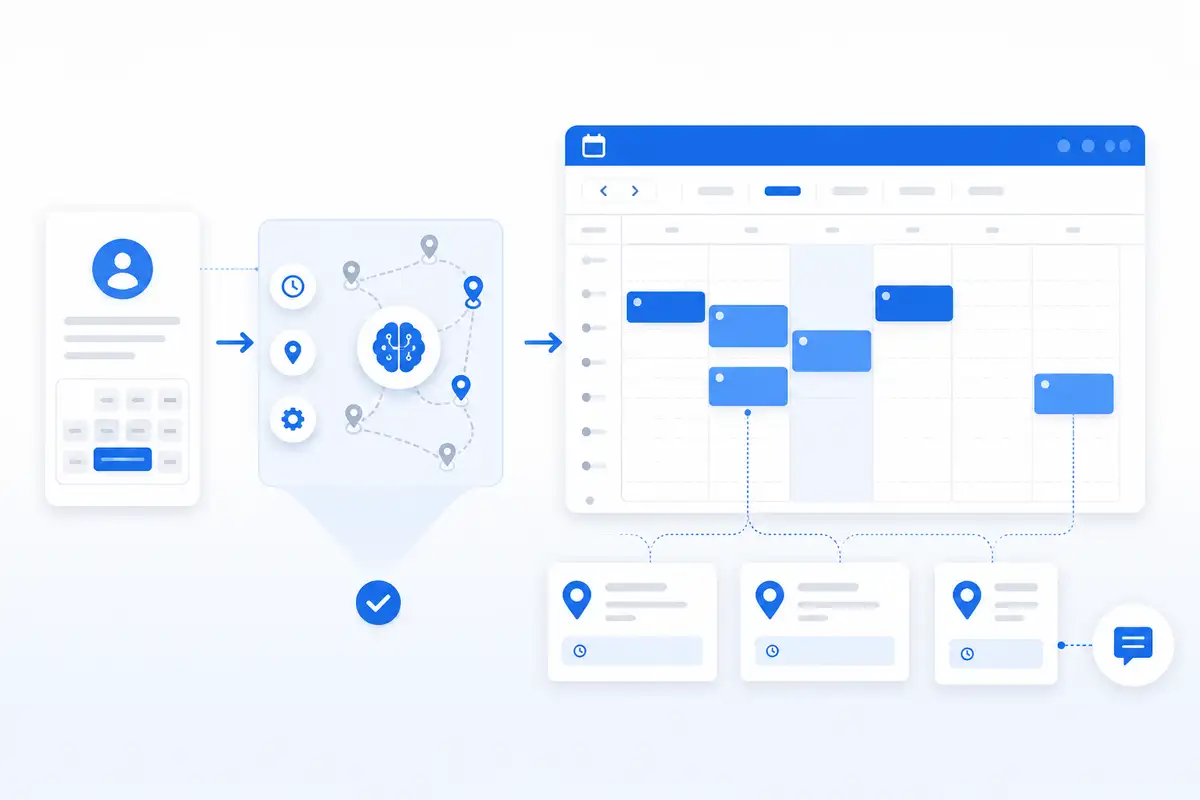
A full calendar can still lose money if the jobs are booked in the wrong order. One customer is across town, the next one is back near the first neighborhood, and the open afternoon slot looks good on the calendar but makes no sense on the road. That is the problem route-aware scheduling software is built to solve.
For service businesses that travel to customer locations, scheduling is not just about finding an open time. It is about whether the appointment fits the route, the area, the service window, the customer details, and the rest of the day. A basic booking form can collect a request. A basic calendar can show availability. But neither one automatically tells the business owner whether that job is actually a smart fit.
NearbyBooker helps local service businesses think about booking differently. Instead of treating every open slot like it has the same value, NearbyBooker supports a workflow where location, timing, nearby appointments, reminders, and calendar visibility all matter before the appointment is confirmed.
Why Regular Scheduling Falls Short for Service Businesses
Most scheduling tools were built around the idea of time. A customer picks a day, chooses a window, and the system places the appointment on a calendar. That works fine for businesses where customers come to one fixed location. It works less well for businesses that drive to the customer.
A mobile detailer, window cleaner, pest control company, lawn care provider, handyman, pressure washing company, carpet cleaner, HVAC tech, plumber, or electrician has a different problem. The appointment is not just a block of time. It is also a drive, a setup, a service scope, a customer expectation, and a route decision.
That means a 2:00 opening is not automatically a good opening. It might be perfect if the customer is near another job. It might be a bad fit if the appointment pulls the technician forty minutes away from the rest of the route. The calendar may look organized while the actual day becomes harder to run.
What Route-Aware Scheduling Means
Route-aware scheduling means the business looks at more than just whether a time slot is empty. It considers where the job is located, what is already booked nearby, how much travel time the appointment may create, and whether that booking makes the day stronger or weaker.
The goal is not to turn every small business into a dispatch center. The goal is much simpler: help the owner or office make better booking decisions before the schedule becomes a mess.
Good route-aware scheduling helps answer questions like:
- Is this customer close to another appointment already on the calendar?
- Does this job fit better in the morning, afternoon, or another day entirely?
- Will this appointment create unnecessary drive time?
- Is this open slot actually profitable, or just technically available?
- Can the business guide the customer toward a better window?
Those questions matter because service businesses do not get paid for wasted drive time. They get paid for completed work.
Open Time Slots Are Not All Equal
One of the biggest mistakes local service businesses make is treating every open time slot the same. If 1:00 is open, the business offers 1:00. If 3:00 is open, the business offers 3:00. That sounds logical until the schedule starts spreading jobs across multiple cities, neighborhoods, or service areas.
For a solo operator, one bad appointment placement can damage the whole day. For a small team, scattered routes can reduce the number of jobs completed without anyone realizing why. The business may feel busy, but the schedule is leaking time.
NearbyBooker is designed around the idea that the best appointment is not always the first open appointment. The better appointment is the one that fits the day. That may mean steering customers toward windows that are near existing jobs, easier to route, or better aligned with the company’s service area rules.
Example: Mobile Detailing
A mobile detailer may have one job booked in the morning on the west side of town and another later in the day nearby. If a new customer requests an appointment, the best option is usually not just the first available time. The better option is the time that keeps the route tight.
If the customer is close to the existing west-side jobs, the business may want to encourage that customer to book the same day. If the customer is far away, the business may want to offer a different window that better fits another route. That kind of decision is hard to make when scheduling is spread across text messages, a basic calendar, and memory.
Route-aware scheduling gives the owner a better way to think through the appointment before confirming it. The result is less bouncing around town and more time spent doing paid work.
Example: Lawn Care, Pest Control, and Home Services
Lawn care companies, pest control companies, and home service providers face the same issue. A customer may be ready to book, but the business still has to decide where that job belongs in the route.
A pest control company may want to group appointments by neighborhood. A lawn care company may want to keep recurring stops close together. A handyman may want to avoid driving across town for a small repair when there is a better day for that area. A garage door repair company may need enough flexibility to handle urgent calls without destroying the rest of the schedule.
In all of these cases, the booking decision affects the route. The route affects the day. The day affects profit, customer experience, and how much stress the team carries.
Where NearbyBooker Fits
NearbyBooker fits between the customer request and the confirmed appointment. That is the point where many service businesses currently improvise.
A customer fills out a form, sends a text, or calls the business. The owner checks the calendar, thinks about the route, asks for missing details, and tries to offer a time that works. If the business is busy, that process becomes inconsistent fast.
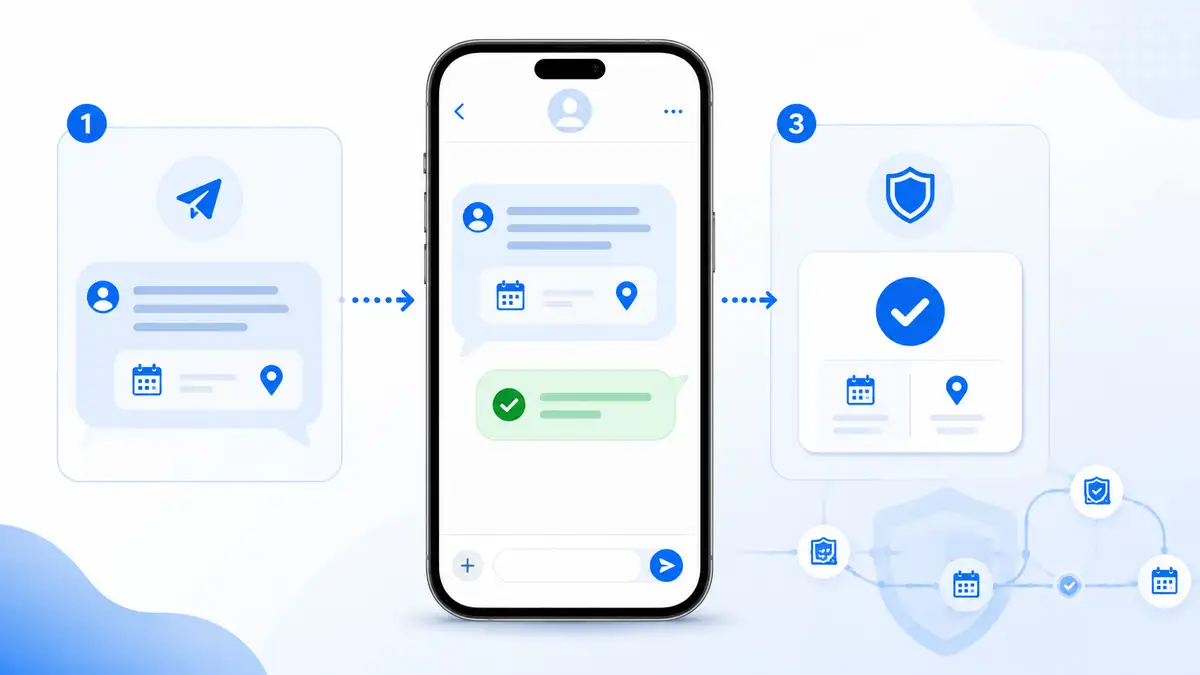
NearbyBooker helps create a cleaner workflow. It supports online booking, nearby appointment logic, route-aware scheduling, SMS appointment reminders, and Google Calendar visibility so the business has more context before confirming the job.
The business owner still controls the final decision. NearbyBooker simply helps make that decision easier by connecting the details that matter: where the customer is, what the job requires, what is already booked, and how the appointment affects the rest of the day.
Why SMS Reminders Still Matter
Route-aware scheduling gets the job placed better. SMS reminders help protect that appointment after it is booked.
For local service businesses, a missed appointment is more than an empty slot. It can disrupt the route, delay the next customer, and waste travel time. A reminder can confirm the appointment window, service address, access details, and any preparation instructions the customer needs before the technician arrives.
This is especially important for businesses that depend on customer readiness. A cleaner may need access to the home. A mobile detailer may need the vehicle available. A pest control technician may need gates unlocked. A handyman may need the customer to confirm the repair details. A reminder gives the customer one more chance to be ready before the route is already moving.
Why Google Calendar Visibility Helps
Many small service businesses already use Google Calendar. That is not a problem. The problem is when booking requests, customer details, route decisions, and reminders all live outside the calendar in separate places.
Google Calendar visibility is useful because the owner and team can see the day in a familiar format. But the calendar should not be the only scheduling system. A calendar shows what is booked. It does not always show whether the appointment was a smart booking decision.
NearbyBooker helps strengthen the workflow before the appointment reaches the calendar. That way, the calendar reflects a better schedule instead of just recording whatever appointment happened to get accepted.
What to Look for in Route-Aware Scheduling Software
When comparing route-aware scheduling software, service business owners should focus on practical workflow, not just feature lists. The right system should help the business book better appointments, not simply add another place to manage.
Look for software that helps with:
- Customer booking requests
- Service address collection
- Appointment window control
- Nearby appointment logic
- Route-aware scheduling decisions
- Google Calendar visibility
- SMS appointment reminders
- Cleaner customer intake
- Reduced back-and-forth texting
The software should help the business protect the day before it gets messy. If a tool only lets customers pick random open times, it may not solve the deeper scheduling problem.
Route-Aware Booking Is About Better Decisions
The best service businesses are not just trying to stay busy. They are trying to build days that make sense. That means jobs should be placed with some thought toward location, service scope, drive time, customer readiness, and team capacity.
A full calendar feels good until the route starts costing too much time. Route-aware scheduling helps prevent that by making the booking process smarter before the business commits to the appointment.
NearbyBooker gives service-based businesses a practical way to guide bookings toward better windows, keep appointments closer together, reduce wasted driving, send reminders, and maintain cleaner calendar visibility. For businesses that travel to customer locations, that is the difference between simply taking appointments and building a schedule that actually works.
Ready to Book Jobs Closer Together?
If your service business is still booking appointments from calls, texts, forms, and a basic calendar, it may be time to tighten the workflow. NearbyBooker helps local service businesses turn new requests into better scheduling decisions by connecting online booking, route-aware scheduling, nearby appointment options, SMS reminders, and Google Calendar visibility.
For mobile detailers, window cleaners, lawn care companies, pest control providers, home cleaners, repair companies, carpet cleaners, and other service businesses that drive to customers, NearbyBooker helps make the schedule easier to trust before the day gets harder to run.
What is route-aware scheduling software?
Route-aware scheduling software helps service businesses consider location, travel time, nearby appointments, and existing calendar availability before confirming a job. It is useful for businesses that travel to customer locations instead of working from one fixed location.
Why does route-aware scheduling matter for service businesses?
Route-aware scheduling matters because open time slots are not all equal. A job that fits near existing appointments can strengthen the day, while a job booked far away can create wasted drive time, delays, and unnecessary stress.
What types of businesses can use route-aware scheduling?
Route-aware scheduling can help mobile detailers, window cleaners, pressure washers, lawn care companies, residential cleaners, HVAC companies, plumbers, electricians, handymen, pest control companies, junk removal companies, carpet cleaners, mobile pet groomers, appliance repair companies, garage door companies, and other businesses that book appointments at customer locations.
How does NearbyBooker help with nearby appointment booking?
NearbyBooker helps service businesses think through appointment requests based on timing, customer location, nearby jobs, reminders, and calendar visibility. The goal is to help the business guide bookings toward appointment windows that make the route easier to manage.
Does NearbyBooker replace Google Calendar?
NearbyBooker does not need to replace Google Calendar. It can support a cleaner booking workflow before appointments reach the calendar, while still helping the business maintain better calendar visibility for confirmed work.