Online Booking for Service Businesses: Why Open Time Slots Are Not Enough
Online booking sounds simple. A customer visits your website, picks an open time, enters their information, and requests an appointment. For many businesses, that feels like the whole goal.
But for service businesses that travel to customer locations, open time slots are only part of the scheduling problem. A time may be available on the calendar, but that does not automatically mean it is a good appointment to accept.
A customer could be too far from the rest of the route. The job could create unnecessary backtracking. The appointment could split the day in half. The calendar may look organized, while the actual route becomes harder to run.
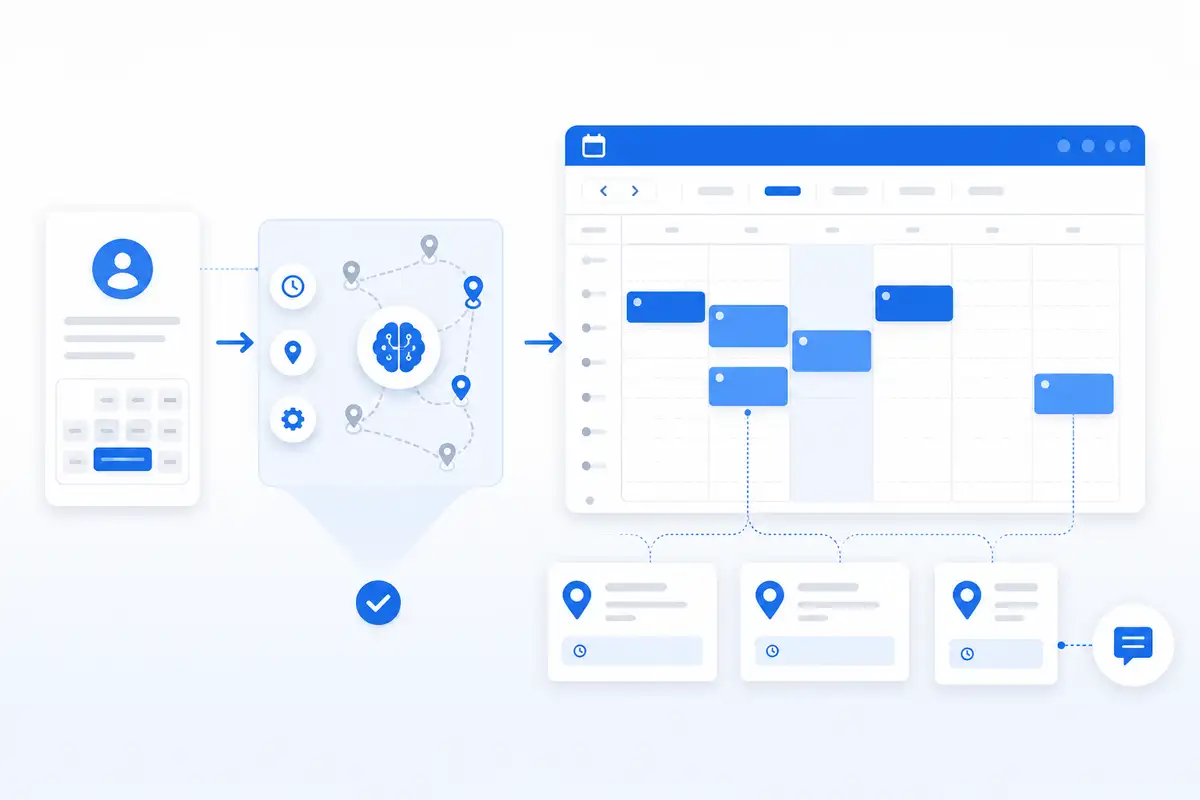
That is why service businesses need more than basic online booking. They need a booking workflow that considers appointment windows, customer location, service areas, SMS reminders, and calendar visibility before the job is confirmed.
NearbyBooker helps local service businesses turn online booking into smarter scheduling by helping owners guide customers toward appointment windows that make sense for the route, not just the calendar.
Why Basic Online Booking Falls Short
Most online booking tools are built around availability. They ask one main question: is this time open?
That works well for businesses where the customer comes to one fixed location. A salon, office, studio, or clinic may only need to know whether the provider is available at a certain time.
Service businesses are different.
A mobile detailer, lawn care company, window cleaner, pest control provider, carpet cleaner, residential cleaning company, plumber, electrician, HVAC company, handyman, or appliance repair business has to travel to the customer. That means location matters.
A basic booking form may collect the customer’s address, but it usually does not help the business decide whether that address fits the route for that day. It may let customers request any open slot, even if that slot creates more drive time and makes the schedule worse.
That is the problem. Basic online booking can fill the calendar while still hurting the route.
Open Time Does Not Always Mean Good Time
An open time slot simply means nothing else is booked there. It does not mean the appointment fits the workday.
For a service business, a good appointment window usually depends on several factors:
- Where the customer is located
- Where other jobs are already booked
- How long the service will take
- How much travel time is required
- Whether the customer is inside the service area
- Whether the appointment creates backtracking
- Whether the customer can be properly reminded before the visit
A 10:00 opening may look available, but if the customer is across town from the rest of the morning route, it may not be the best fit. A 2:00 opening may look empty, but it could be perfect for a nearby customer already close to the afternoon route.
That is why online booking for service businesses needs to think beyond availability.
The Real Goal Is Better Scheduling
The goal is not just to let customers book faster. The goal is to let customers book in a way that protects the business.
Better scheduling helps the business reduce wasted drive time, avoid scattered appointments, keep arrival windows more realistic, and make the workday easier to manage.
This is where route-aware scheduling software becomes important. Route-aware scheduling helps service businesses look at time and location together before confirming the appointment.
Instead of treating every open time slot equally, the business can guide customers toward appointment windows that fit the route better.
That one change can make online booking much more useful for local service businesses.
How Location Changes the Booking Decision
Customer location should play a major role in online booking for any business that travels to the customer.
For example, imagine a window cleaning company already has two jobs booked in the same neighborhood on Wednesday morning. If a new customer from that same area requests service, Wednesday may be a great fit.
Now imagine another customer requests the same Wednesday opening, but they are 35 minutes away from the rest of the route. The time may technically be open, but the appointment may create wasted driving and schedule pressure.
A basic booking tool may treat both customers the same. A smarter service business booking workflow should not.
NearbyBooker helps the business consider where the customer is before the appointment is locked in. That helps the owner make better decisions while still giving the customer a clean booking experience.
Nearby Appointment Booking Makes Open Slots More Useful
One of the best ways to improve online booking is to connect open time slots with nearby customer demand.
Instead of simply showing every available appointment window, a service business can prioritize openings that make sense by area. This is the idea behind nearby appointment booking.
Nearby appointment booking helps service businesses fill open slots with customers who are close to existing jobs, service areas, or route patterns.
This is useful because many service businesses do not just need more appointments. They need better-placed appointments.
A mobile detailer may want to book customers in the same part of town on the same day. A lawn care company may want recurring customers grouped by neighborhood. A pest control company may want to fill route gaps near existing service calls. A cleaning company may want teams working in tighter areas instead of bouncing across town.
Nearby appointment booking makes open slots more valuable because it helps the business fill them with jobs that actually fit.
Online Booking Should Reduce Drive Time
If online booking creates scattered appointments, it is only solving half the problem.
A service business can have a full calendar and still lose profit because too much of the day is spent driving. That is why online booking should support the bigger goal of reducing wasted travel.
For more on that problem, read our guide on how to reduce drive time between service appointments.
Reducing drive time does not mean rejecting customers. It means guiding customers toward better appointment windows so the business can serve them without damaging the route.
That can help the business fit more productive work into the day, avoid unnecessary backtracking, and keep the schedule easier to manage.
Why SMS Reminders Matter After the Booking
Online booking does not end when the customer submits the request. The appointment still has to happen smoothly.
For service businesses, a missed appointment, wrong address, locked gate, unprepared customer, or last-minute cancellation can throw off the entire route.
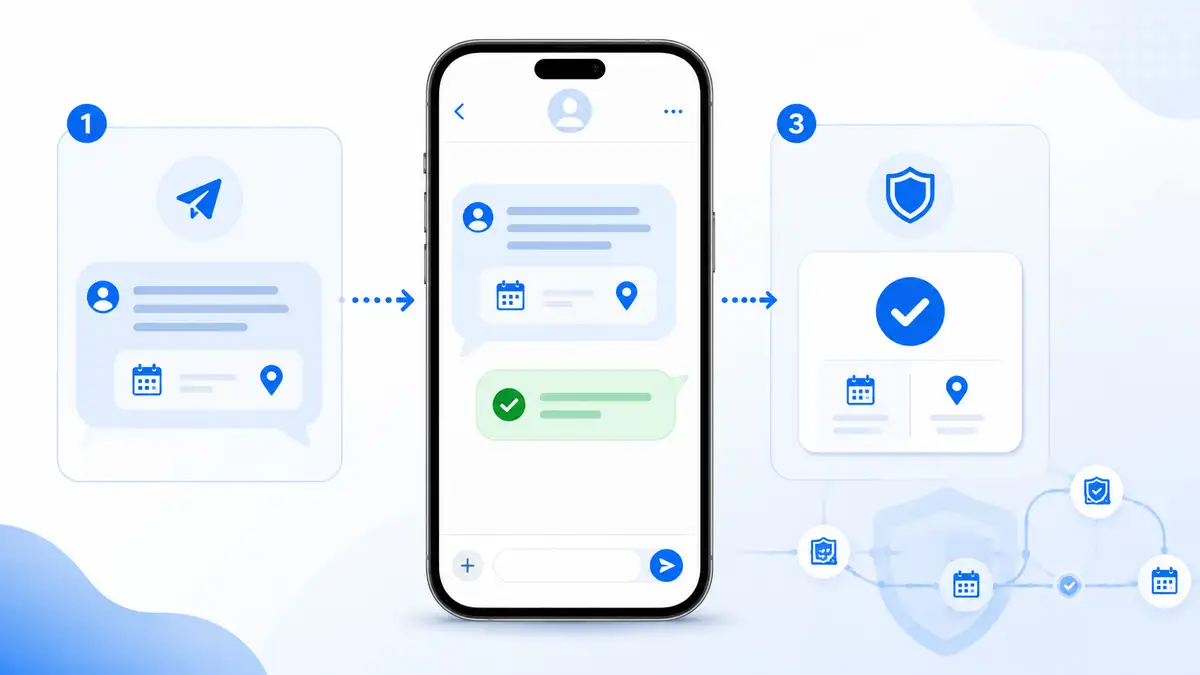
SMS reminders help protect the schedule after the appointment is booked. They can confirm the appointment window, service address, access instructions, and preparation details before the technician is on the way.
That matters because a good route can still fall apart if the customer forgets the appointment or is not ready.
NearbyBooker helps connect the booking workflow with reminders so the business can reduce manual follow-up and protect the appointment after it is confirmed.
Google Calendar Visibility Is Still Important
Many local service businesses already use Google Calendar because it is simple and familiar. That is not a problem. The problem is expecting Google Calendar alone to make smart booking decisions.
Google Calendar can show what is booked. It can help the owner see the day. But it does not always tell the business whether a new appointment fits the route, whether the customer is nearby, or whether the opening should be offered to someone else first.
Online booking should work with calendar visibility, not replace it.
NearbyBooker helps strengthen the decision before the appointment reaches the calendar. That way, confirmed appointments can still appear clearly on the schedule, but the business has better context before the job gets booked.
What Service Businesses Should Look For
When choosing online booking software for a service business, owners should look for tools that support how mobile work actually happens.
The software should do more than collect customer requests. It should help the business control the schedule.
Useful features include:
- Customer address collection
- Service area logic
- Appointment window control
- Nearby booking logic
- Route-aware scheduling decisions
- SMS appointment reminders
- Google Calendar visibility
- Cleaner customer intake
- Less manual texting before confirmation
The right online booking system should help the business book smarter appointments, not just more appointments.
Example: A Better Booking Workflow
Here is what a stronger online booking workflow can look like for a local service business.
A customer visits the website and enters their service details, address, and preferred appointment window. Instead of blindly treating every open time the same, the business can evaluate whether that request fits the schedule.
If the customer is near existing work, that appointment window may be a strong fit. If the customer is outside the current route, the business may guide them toward a different window that works better.
After the appointment is accepted, the customer receives reminders so they know when to expect the visit and what to prepare.
The confirmed job can then be visible on the calendar, giving the owner a cleaner view of the day.
That is a better system than simply letting customers pick any open slot and hoping the route works out later.
Online Booking Should Help the Business Stay in Control
Some business owners worry that online booking means losing control of the schedule. That can happen with basic booking tools, especially when customers are allowed to grab any open time without context.
But online booking does not have to work that way.
For service businesses, the best online booking workflow should still let the owner control appointment windows, service areas, and final scheduling decisions.
NearbyBooker is built around that idea. The customer gets a simple booking experience, while the business gets better scheduling context.
The point is not to let the calendar run the company. The point is to make booking easier without giving up control of the route.
Where NearbyBooker Fits
NearbyBooker fits between the customer request and the confirmed appointment.
That is the exact moment where many service businesses either protect the route or create a scheduling problem.
NearbyBooker helps local service businesses think about customer location, appointment windows, nearby jobs, service areas, reminders, and calendar visibility before the job is confirmed.
That makes online booking more useful for mobile service businesses because the system is not only focused on open time. It is focused on better appointment placement.
For mobile detailers, lawn care companies, window cleaners, pest control providers, residential cleaners, carpet cleaners, plumbers, electricians, HVAC companies, handymen, appliance repair companies, garage door companies, and other businesses that travel to customers, that difference matters.
Ready for Smarter Online Booking?
If your service business only offers appointments based on open calendar time, your schedule may be creating more drive time than necessary.
Basic online booking can help customers request appointments, but smarter online booking helps the business protect the route, reduce wasted driving, send reminders, and keep calendar visibility cleaner.
NearbyBooker helps service businesses book jobs closer together, fill open slots by area, reduce manual back-and-forth, and turn customer requests into appointments that make more sense.
If you want online booking that supports how service businesses actually work, NearbyBooker gives you a better way to manage appointment requests before they become route problems.
FAQ
What is online booking for service businesses?
Online booking for service businesses allows customers to request or schedule appointments through a website. For businesses that travel to customers, the best online booking workflows also consider customer location, service areas, appointment windows, reminders, and calendar visibility.
Why is basic online booking not enough for service businesses?
Basic online booking usually focuses only on open calendar time. Service businesses also need to consider where the customer is located, how the appointment fits the route, and whether the booking creates unnecessary drive time.
How does online booking help reduce drive time?
Online booking can help reduce drive time when it guides customers toward appointment windows that fit nearby jobs or service areas. This helps the business avoid scattered appointments and build a cleaner route.
Does NearbyBooker replace Google Calendar?
NearbyBooker does not need to replace Google Calendar. It helps service businesses make better booking decisions before appointments reach the calendar, while still supporting cleaner calendar visibility for confirmed jobs.
What types of businesses need smarter online booking?
Smarter online booking can help mobile detailers, lawn care companies, window cleaners, pest control companies, residential cleaners, carpet cleaners, plumbers, electricians, HVAC companies, handymen, appliance repair companies, garage door companies, and other service businesses that travel to customers.